


I made a note in my diary a few months ago to write a blog post around now to highlight the forthcoming so-called 'Data Privacy Week'.
I am not a big fan of such events but they can serve to focus attention.
And Data Protection is important to me ... so I used my favourite search engine - DuckDuckGo - to search for a couple of web pages which were promoting Data Privacy Week.
Website of the (US) National Cybersecurity Alliance
The National Cybersecurity Alliance website states they are "a non-profit organization on a mission to create a more secure, interconnected world".
As expected there was a Cookie Notice prominently displayed inviting me to 'Accept All' cookies.
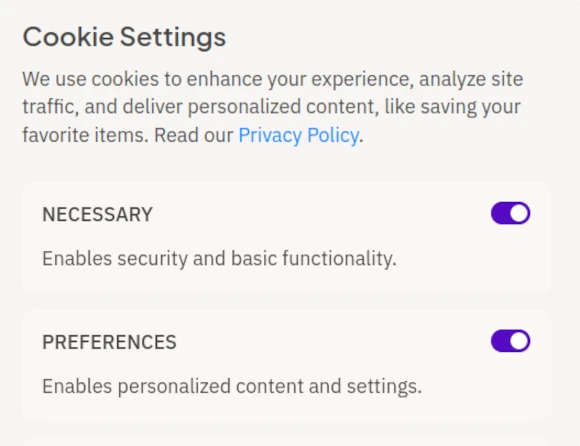
I ignored the invitation and selected the 'Customize' button expecting to see Necessary cookies (or similar) being pre-selected.
It was, but so were 'optional' Preferences, Analytics and Marketing cookies!
Naturally I de-selected these 'options' (in other words I opted out from these cookies being loaded) and proceeded to visit the web page.
I read the blurb and then paused to consider the web page with 'data privacy' in mind.
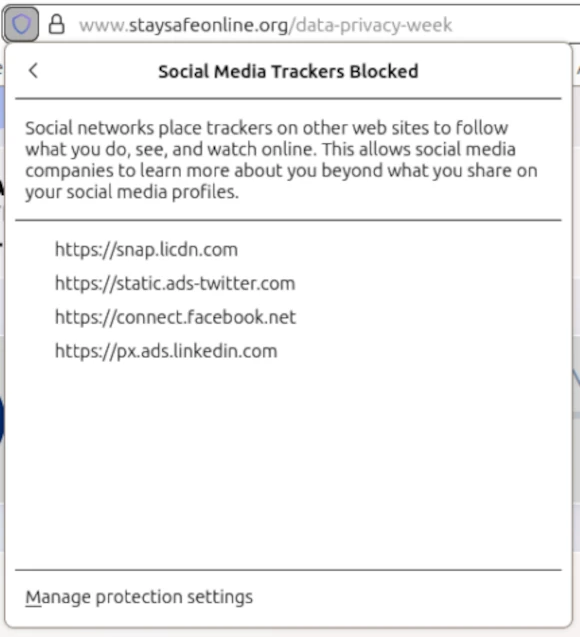
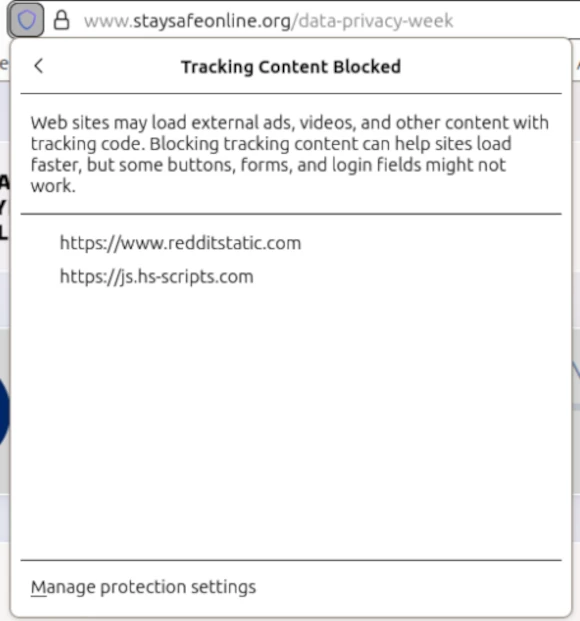
I use the Firefox web browser with Enhanced Tracking Protection enabled, so I clicked on the shield to the left of the address bar.
Another revelation: despite having rejected all optional cookies, the dropdown box indicated that my browser had blocked 6 persistent cookies: 4 social media trackers and 2 other trackers.
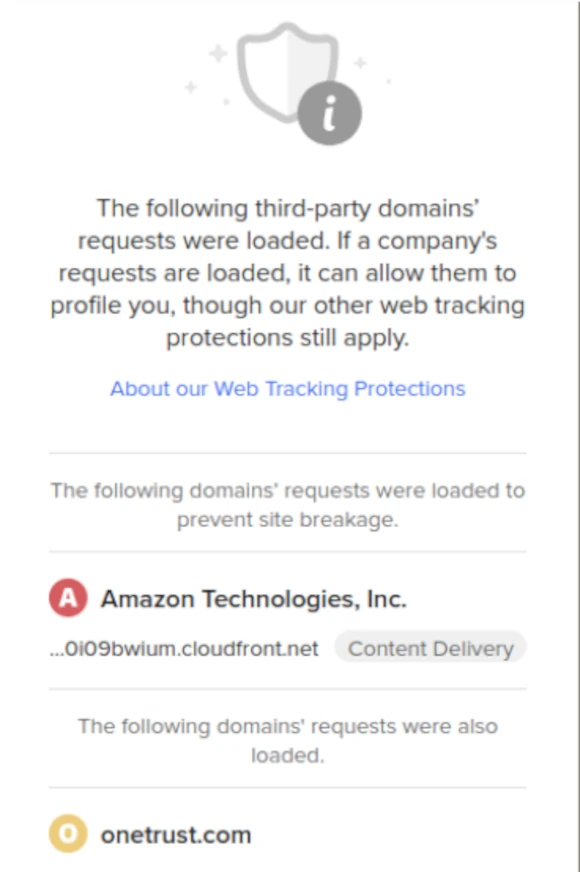
I use the DuckDuckGo search engine for a reason: to check for and block tracking requests. And it announced that several third party 'requests' had been loaded by the web page!
So much for Data Privacy Week!
See screenprints below.
Cookie Button
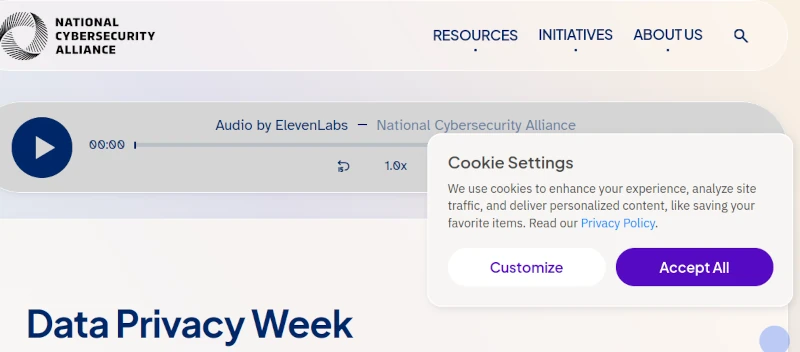
Cookie Settings
Firefox Browser Enhanced Tracking Protection
DuckDuckGo Browser Extension
Website of the (UK) YouGov market research company
YouGov is an international internet market research and data analytics firm headquartered in the UK.
So what was my experience of visiting the web page of a UK organsiation promoting Data Privacy Day on 28 January like in comparison?
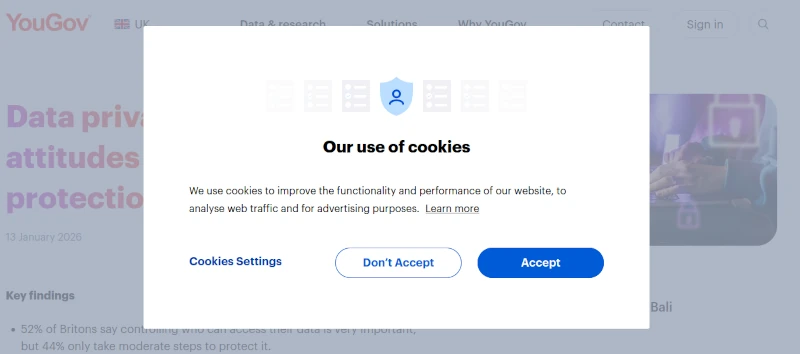
Once again there was a Cookie Notice prominently displayed inviting me to 'Accept' cookies.
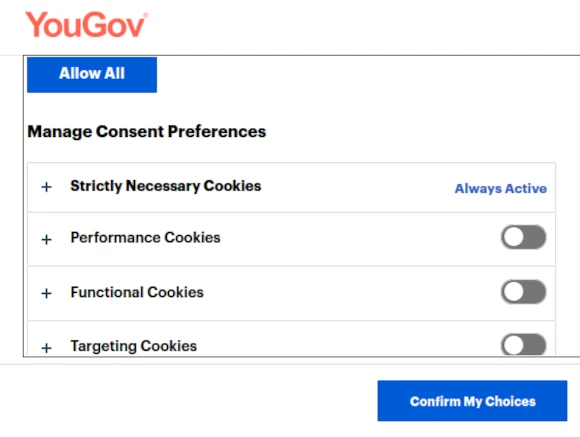
Again I ignored the invitation and selected the 'Cookies Settings' button expecting to see only Necessary cookies (or similar) being pre-selected.
Good news, 'optional' Performance, Functional and Targeting cookies were all de-selected.
So I proceeded to read the blurb and then considered the web page with 'data privacy' in mind.
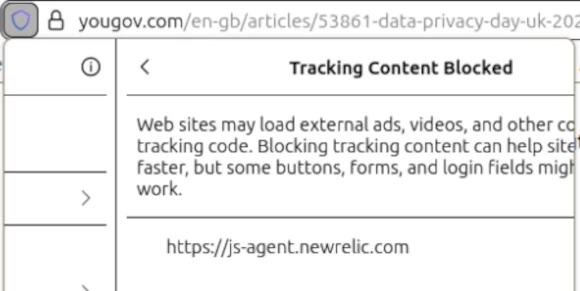
I clicked on the shield to the left of the address bar in my Firefox web browser.
The Enhanced Tracking Protection dropdown revealed that Firefox had blocked a persistent tracker.
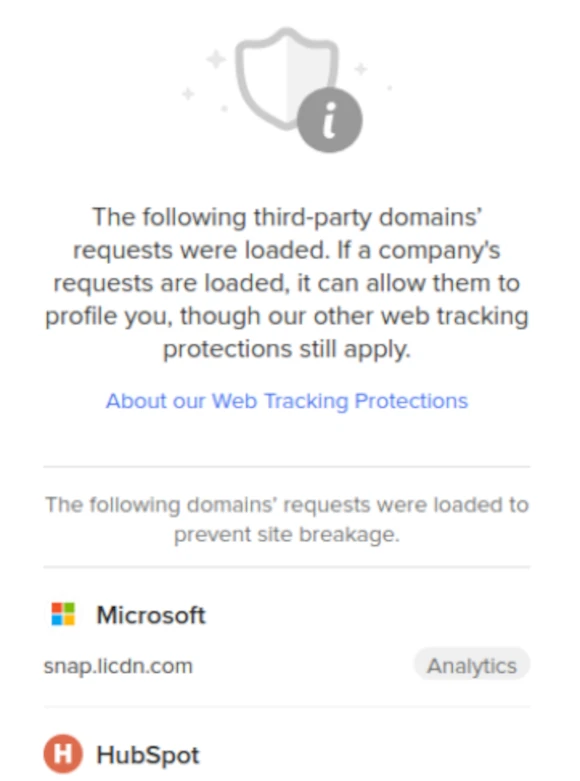
What would my DuckDuckGo browser extension reveal?
Several third party 'requests' had been loaded by the web page!
So more Data Privacy Weak than Week!
See screenprints below.
Cookie Button
Cookie Settings
Firefox Browser Enhanced Tracking Protection
DuckDuckGo Browser Extension
My Take Aways
If Data Privacy is so important to sponsors of web pages promoting Data Privacy then surely my Firefox web browser's Enhanced Tracking Protection should not have had to block trackers after I had opted out of accepting 'optional' cookies.
Gratitude to the developers of the Firefox web browser and its DuckDuckGo extension.
I am giving Data Privacy Week and Data Privacy Day a miss this year.
And instead observing Data Privacy Minute every time I open my web browser regardless of what time of year it is!
Learn how the Firefox web browser with Enhanced Tracking Protection enabled in Strict mode can block all third-party cookies at the following link.
Read more: How to block Third-party Cookies in Firefox
More about WYNCHCO Solutions
Our Mission
Ken Edwards - Company Founder
We help and support managers responsible for Joomla! CMS websites in UK business and third sector organisations which subscribe to WYNCHCO Joomla! CMS Help and Support.
We support organisations in Cheshire, Manchester, Merseyside, and the North West region from our office in Warrington. If you are based in the UK but outside the North West, we can still help.
Our Mission is to put you in control of your website.
We enjoy keeping up-to-date with the latest Joomla! developments, trends and best practices and sharing our expertise with you to help you more effectively manage your Joomla! CMS website.
We work hard to develop and maintain long-lasting customer relationships.
The WYNCHCO Customer Care Code
We aim to deliver excellent support to our customers at all times.
We pride ourselves on building long-standing close-working relationships with our customers.
Key words
- Collaboration.
- Flexibility.
- Shared Purpose.
- Trust.
Our commitment
To provide you with:
- accurate and up-to-date product information,
- helpful solutions to support requests,
- transparent invoicing,
- SSL encryption when you visit our website.
To monitor our services to ensure optimal performance.
To safeguard your personal data.
To resolve your concerns promptly and professionally.
To pay our suppliers promptly and in return ask that our customers do the same.


